 Dan·29 July 2026·6 min read
How We Make AI Videos That Do Not Look Fake
TL;DR
Here is the whole thing in one line: make the still image first, get it right, and only then animate it. Text straight to video spins out and looks fake. A still you already love, animated with one slow camera move, is reliable and cheap. Everything below is the pipeline we iterated into for our golf app, the models we use for each step, and the expensive fakes we threw away getting there.
This is the latest in my running series on what building a small business with AI in the loop is actually like. Earlier ones covered the day it emailed the wrong Dan, the week it tried to put our customer emails on the internet, and what our golf app taught us about putting AI into a real product. This one is about the fun end: making short "dream hole" videos for social that look like a real drone shot of a real, spectacular golf hole.
What I set out to do
Short vertical clips for TikTok and Instagram. A camera slowly rising over an impossibly beautiful golf hole, revealing the drop, the sea, the drop again. The kind of thing that stops a thumb mid scroll. All made with AI, because we are a two person operation and we cannot fly a drone over a clifftop in the Alps on a Tuesday.
The trap is obvious the moment you try it. Ask an AI video model to "make a stunning golf hole" from a text prompt and you get melting greens, golfers with three arms, and a camera that dives off a cliff for no reason. It looks like AI, and looking like AI is the one thing that kills it.
What the AI nailed
Two things, once we split the job in half.
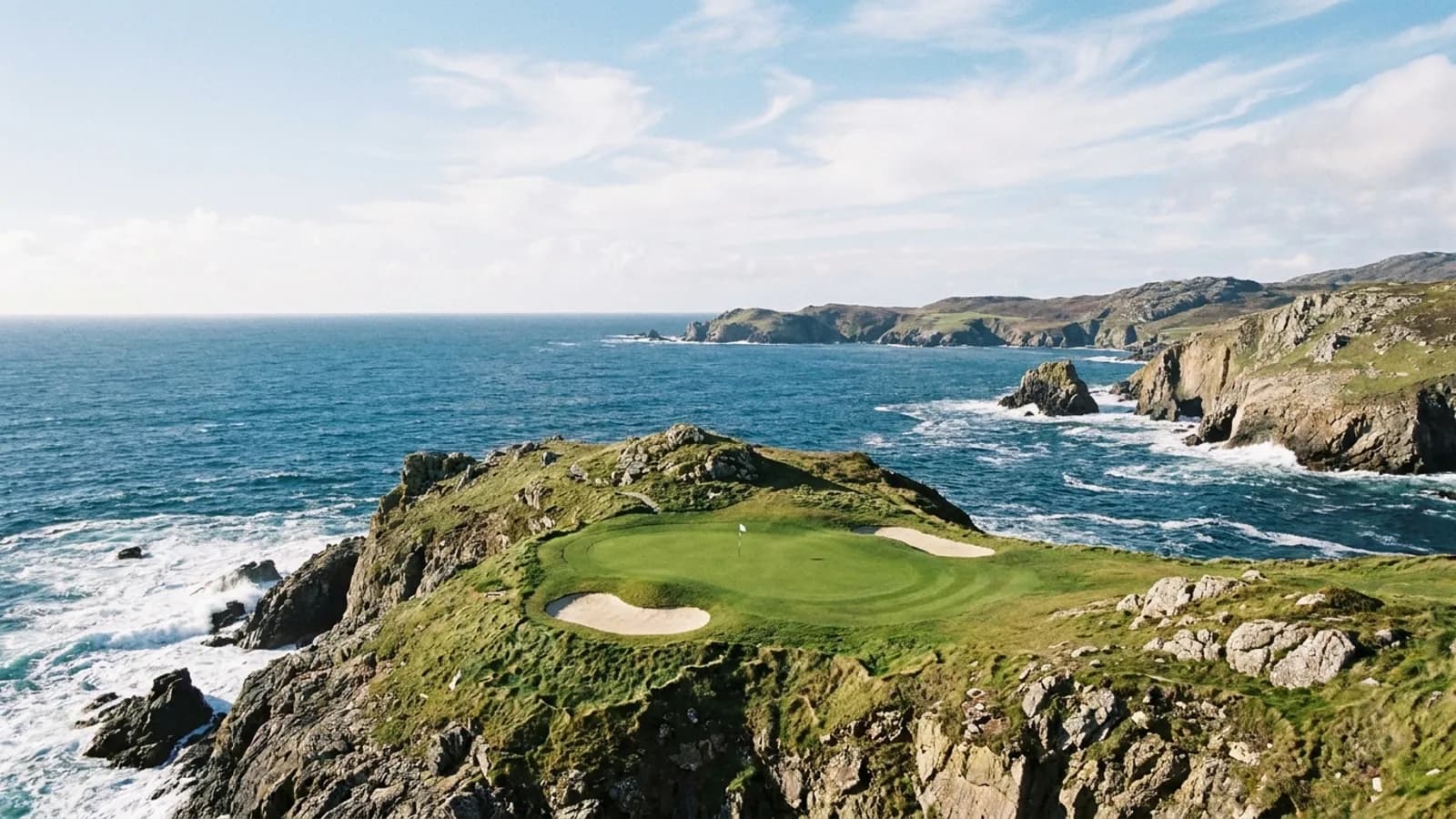
The still images are genuinely brilliant. We use Google's Nano Banana Pro for these. Given a careful, specific prompt, it produces photographs that look like they were shot on a real camera on a real headland. The cover of this post is one of them. No such hole exists, but you would not know.
The animation, done the right way, is also excellent. We use Google's Veo for image to video. You hand it the approved still and describe one slow move, and it climbs up over the scene, keeps the waterfalls flowing, drifts the cloud, and holds everything solid. When it works it is indistinguishable from a real drone shot.
The key phrase is "done the right way," which we only found by doing it the wrong way a lot.
Where it went wrong (this is the point)
None of the good stuff above was obvious at the start. Here is what it cost to learn it.
The floating green that screamed fake. I got greedy and asked for a lush jungle hole, a green perched on top of an isolated rock spire with sheer drops on every side and waterfalls everywhere. It was gorgeous. It was also completely fake, and I could not say why at first. The reason, once it clicked, is simple: your brain knows you could never build or walk to a green floating on a pinnacle, so it reads the whole thing as CGI no matter how pretty. The fix was to put the green back on a shelf attached to the mountain, and then, because it still needed drama, add a rope bridge from the tee across to it. Suddenly it was believable and better. Believable beats spectacular every single time.
Buildings the model invents as the camera moves. An earlier attempt was a golf hole on a city rooftop. Every time the camera rose, Veo invented the buildings that were not in the original photo, and they came out warped and malformed. This is the core weakness: as the camera reveals area that was not in your still, the model makes it up, and it is terrible at making up hard edged architecture. It is completely fine at making up more cloud, sea, or cliff. Lesson: organic landscapes animate cleanly, rigid man made things do not. We stopped fighting it and stopped making city holes.
The flag it hallucinated onto the tee. On a volcano hole, the foreground was a pristine striped green lawn where the golfer stands. Veo kept deciding that was a putting green and painting a flagstick onto it halfway through the clip. Telling it "no flag on the tee" did nothing, and every retry cost real money. The actual fix was upstream, in the still: give the teeing area obvious tee markers so it reads unmistakably as a tee, not a green, before you ever animate it.
The golfer who whiffed. People are the hardest thing and the biggest fake tell. A figure mid swing melts, because a follow through is a pose nobody holds for six seconds. One clip had the golfer swing and miss the ball entirely. My honest advice now is to leave people out. A landscape with nobody in it is the easiest thing to sell, and the cleanest.
The money bit. The images cost pennies. The video step costs around a pound twenty a clip, and it is a slot machine if your still is not right. I burned that fee several times over on retries that were never going to behave, hoping the model would sort itself out. It will not. Fix the cause in the still, then spend on the video once.
The pipeline that actually works
This is the whole thing, in order.
- Write the still prompt, generate with Nano Banana Pro. Bright midday light, not golden hour. Push hard for realism and ban the render look in plain words: "true to life photograph, shot on a full frame camera, natural muted colour, not oversaturated, looks like a real magazine photo, no CGI, no cartoon." We do not ask for an "iPhone photo" look either, we want professional. Keep the top and bottom of the frame clear for later overlays, keep any forest as a distant backdrop rather than fiddly close up trees, and add tee markers.
- Get it right before spending. Iterate the image, which is cheap, until it genuinely looks real and you love it. This is the whole game.
- Animate the approved still with Veo. One slow move only, a steady drone rise, and then explicitly forbid the failure modes: no fast motion, no diving, no spinning, no warping, and "no new buildings or landforms appear." Naming what not to do is what tames it.
- Check the frames. Pull the first, middle and last frame and actually look, before you call it done. Confirm nothing melted.
- Burn in the branding with ffmpeg, for free. Social apps render a black box over a transparent overlay, so the hole card and the logo get baked straight into the video, not laid on top at post time.
- Compress and ship. Keep the audio, drop the file size so it actually sends, post it.
What I would tell someone else doing this
Split the job. The one instinct that fixes ninety percent of "it looks fake" is to stop asking a video model to imagine a scene, and instead make a still you are happy with and give it that. Chase believable, not maximum. Keep the camera calm. Keep people out. And treat the paid video step as the last thing you do, not the thing you gamble on. The taste is still yours to bring. The AI is a very fast, very literal art department that will confidently hand you a green floating in the sky unless you tell it not to.
We use this exact process for our own products, and we build the same kind of AI assisted pipelines into client work. If you want a look at what that turns into, our recent work is here, you can get a rough number from the quote generator, or just say hello and tell us what you are trying to make.